Beer Game
How do I face off head-to-head against the AI?
Want to see how well you play the game compared to our AI? It’s simple. The default
settings are already configured in a way to make this happen. If you select the “Change
Settings” option on the “Default Settings” screen and then navigate to the “Artificial
Intelligence Player” under “Roles”, you will notice the default value is “No AI”.
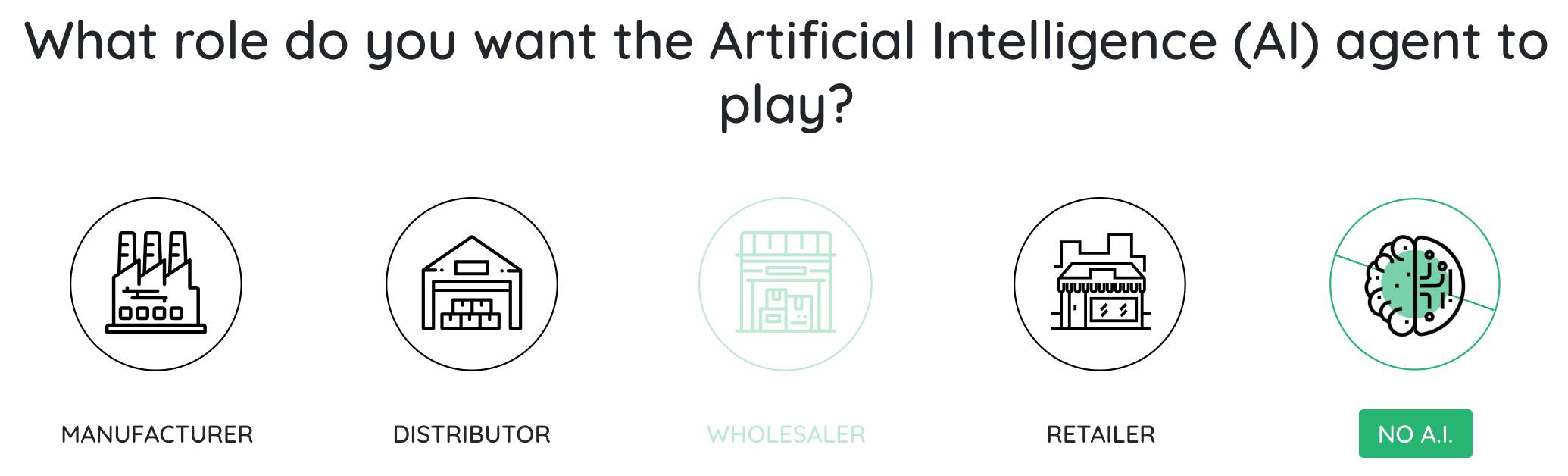
From there, choose one of the following Demand Patterns:
- Classic
- Uniform Demand
- Normal Demand, Low Mean
Then you can proceed with the game as usual. When the game is over, you’ll see your
results displayed alongside the results of the AI player, as well as the other types of
computerized players:
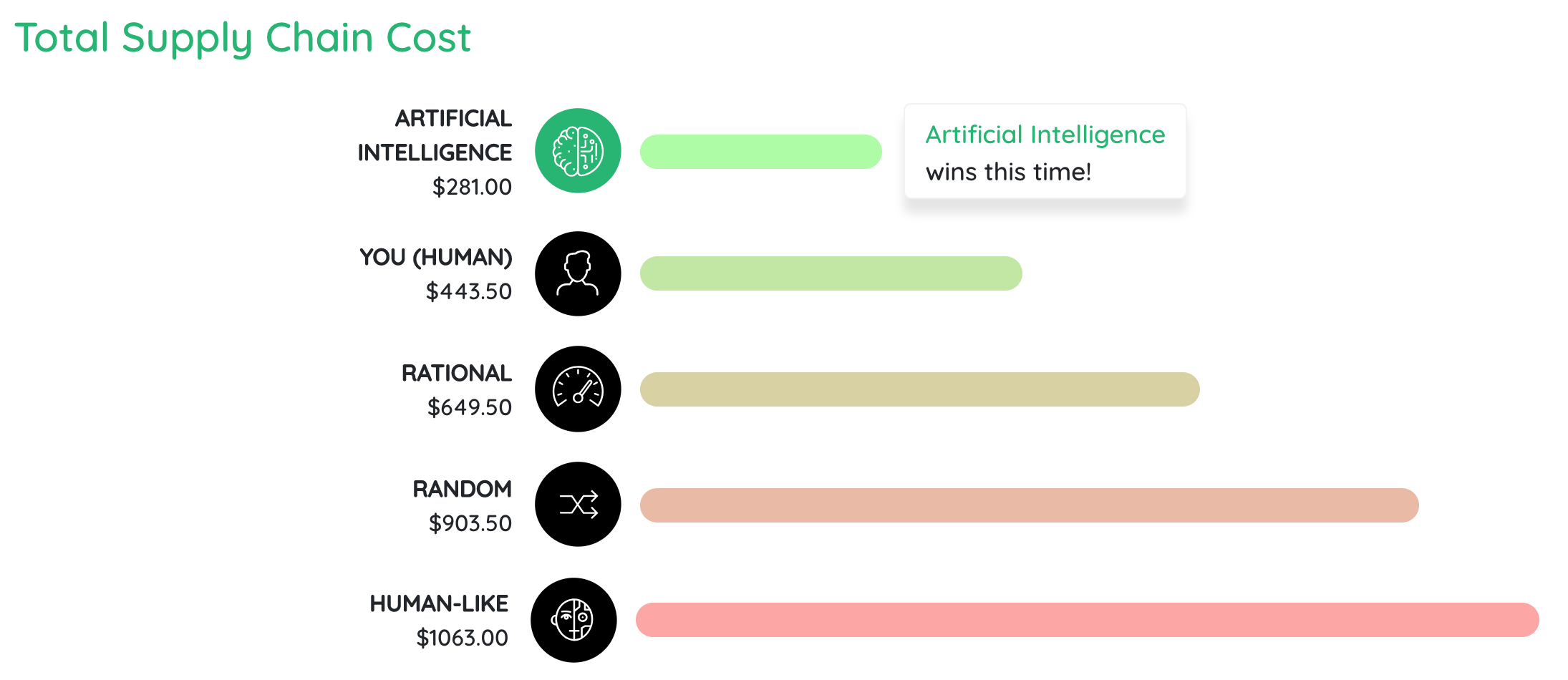
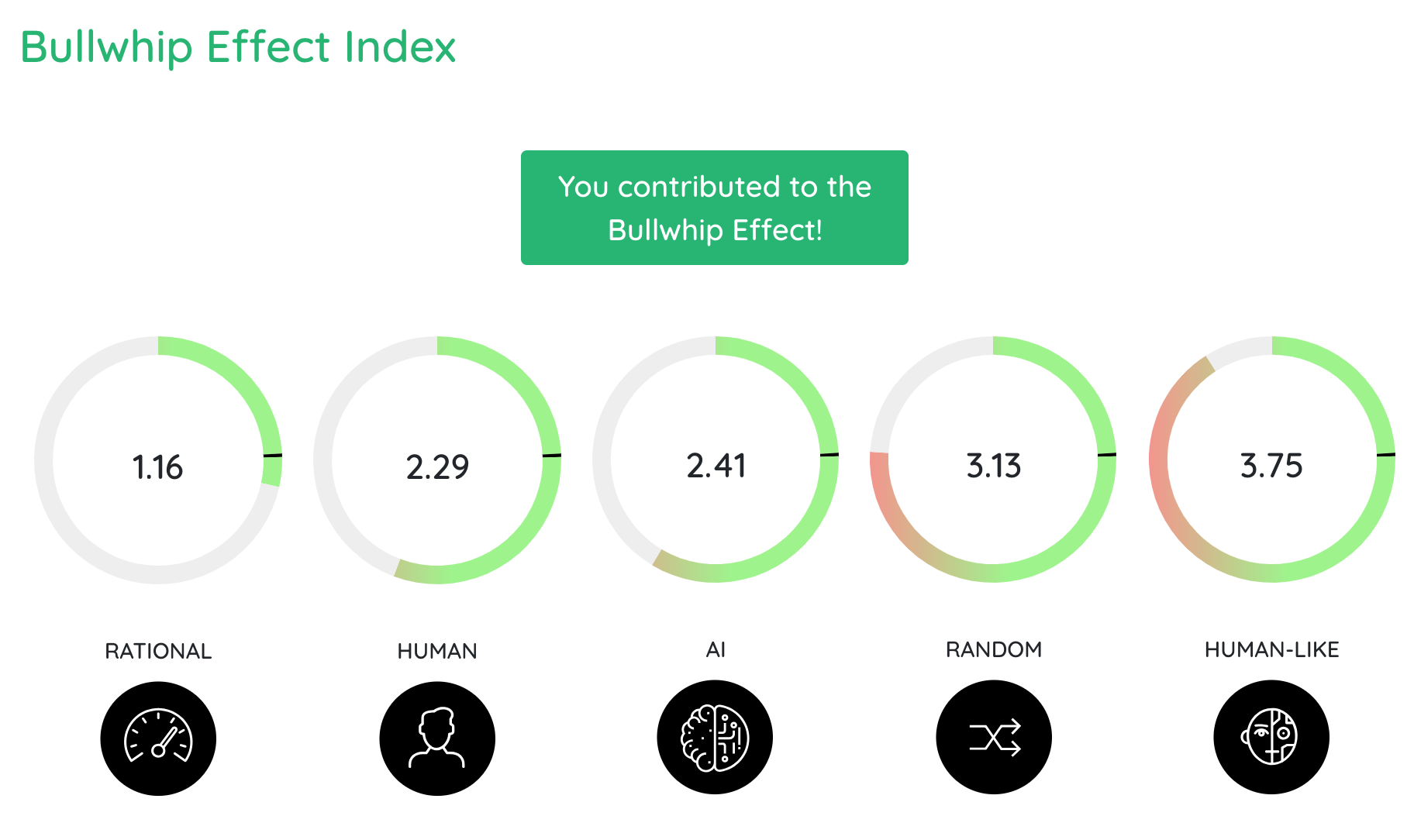
(See Game Results)
You may also opt to simply watch the AI player play the game with three computerized
teammates, and view the detailed results afterwards in comparison to how you did with
the same settings. To do this you must restart the game. When asked what role you want
to play, choose “No Human”. Assign the AI player to play the role you just played and
set all of the other settings the same way you did the first time around. Start the
game, watch and then compare the results with those from your previous play. Easy as
that!